
Boat Race with 99 Engines Free Rewards and Online Gifts
Last updated:
Online Gifts gives you free Power, Wins, pets and potions as reward countdowns finish. Use the gift menu to track the reward you want, then collect it when it becomes available.
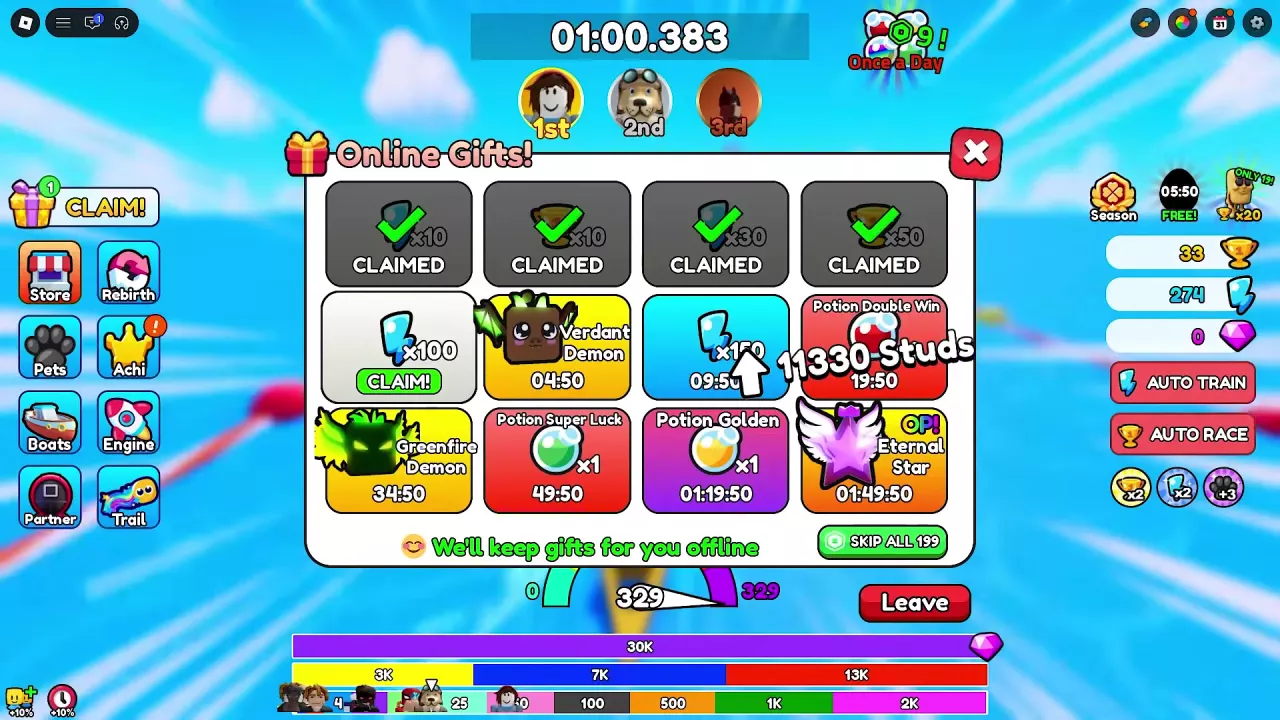
Open the gift icon on the left, wait for your reward tile to show CLAIM!, and click its green button. Confirm that it changes to CLAIMED. Online Gifts includes Power, Wins, Verdant Demon, Greenfire Demon, Eternal Star and three potion rewards. You can claim gifts during a race; achievement bonuses are claimed separately through Achi.
Claim a Ready Online Gift
- Check the gift icon on the left. CLAIM! and a pending-reward indicator mean a gift is ready.
- Click the icon to open Online Gifts. You can open it during a race without returning to the lobby.
- Find the available reward and click the green CLAIM! button on that specific tile. For the 100 Power gift, look at the first tile in the second row.
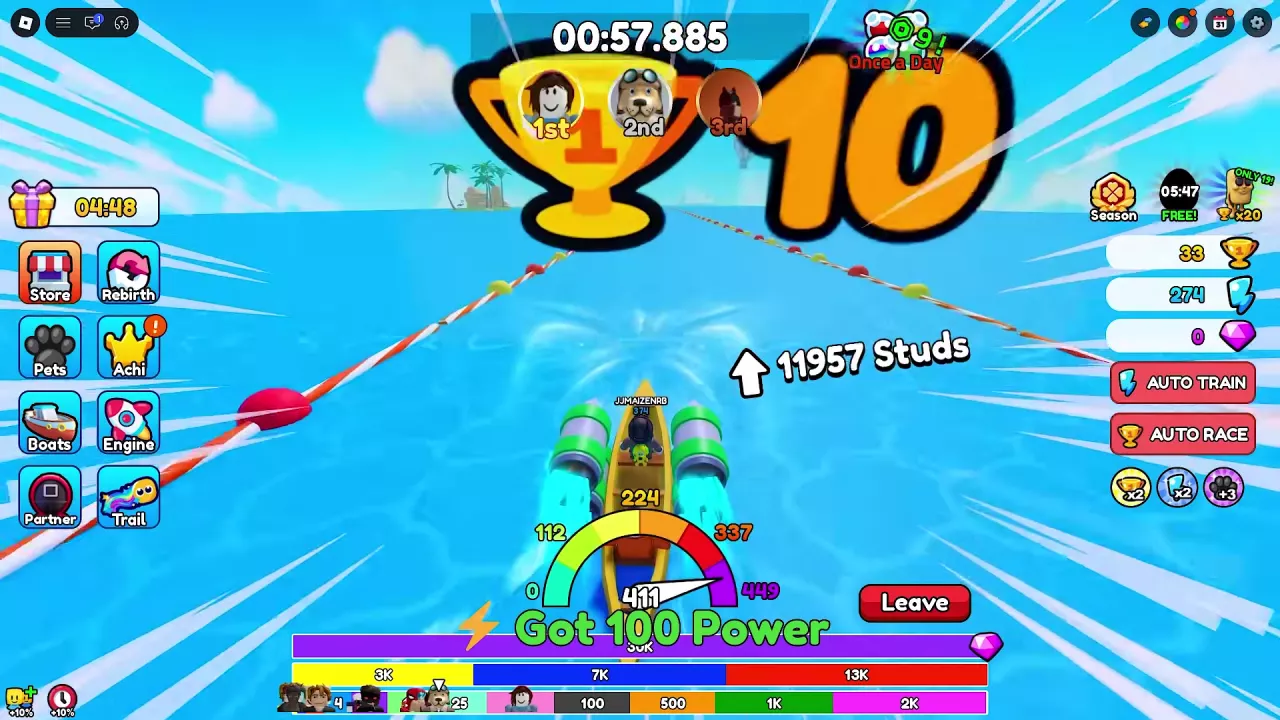
- Confirm that the tile changes to CLAIMED and a reward message appears. The 100 Power gift displays Got 100 Power; the gift icon then returns to the next countdown.
Finishing the timer makes a gift available. It does not automatically add the reward to your account—you must click its claim button.
Power, Wins and Free Pet Rewards
The resource gifts come in these amounts:
- Power: 10, 30, 100 and 150 Power.
- Wins: 10 and 50 Wins.
For free pets, find the named tile in Online Gifts:
- Verdant Demon: the brown cube-shaped pet with green horns and bat-like wings, in the second row.
- Greenfire Demon: the dark cube-shaped pet with glowing green eyes and flame-like decorations, at the bottom left.
- Eternal Star: the purple star with white wings, at the bottom right. Its tile carries an OP! label.
Each pet has its own countdown. Find the pet you want, check the time beneath its name, and wait for that tile to become claimable. Then use its CLAIM! button as described above.
These pets come from timed gifts, so you can work toward them while saving Wins for other purchases. See the pet directory and inventory guide for pet attributes and equipment controls. For continued resource growth, use the training guide or Wins guide.
Potion Double Win, Super Luck and Golden
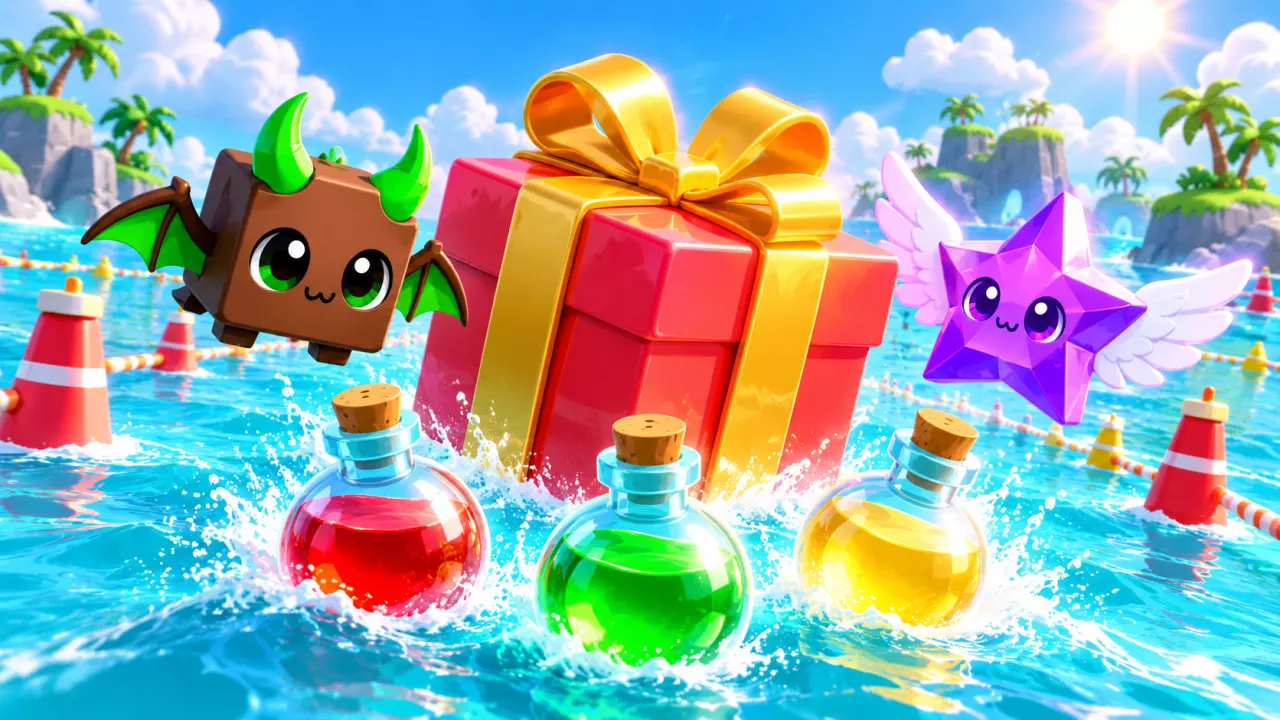
Online Gifts offers three potion rewards, with one potion per reward tile. Use the names and bottle colors below to find the one you want.
Open the left-side gift icon, locate the potion's tile, and check its countdown. When that tile becomes available, click CLAIM! to collect it. Potion Double Win sits at the right end of the second row; Potion Super Luck and Potion Golden sit beside each other in the bottom row.
The DoubleWins and SuperLuck entries in the game pass list are separate products from these gift potions.
| Name | Acquisition | Reward quantity |
|---|---|---|
 Potion Double Win Potion Double Win |
Online Gifts
|
1 potion
(Displayed on the Online Gifts reward tile.)
|
 Potion Super Luck Potion Super Luck |
Online Gifts
|
1 potion
(Displayed on the Online Gifts reward tile.)
|
 Potion Golden Potion Golden |
Online Gifts
|
1 potion
(Displayed on the Online Gifts reward tile.)
|
-
Potion Double Win
- Reward quantity
- 1 potion (Displayed on the Online Gifts reward tile.)
- Appearance
- Round red potion bottle
- Acquisition
- Online Gifts
-
Potion Super Luck
- Reward quantity
- 1 potion (Displayed on the Online Gifts reward tile.)
- Appearance
- Round green potion bottle with a pale blue neck
- Acquisition
- Online Gifts
-
Potion Golden
- Reward quantity
- 1 potion (Displayed on the Online Gifts reward tile.)
- Appearance
- Round yellow potion bottle with a pale blue neck
- Acquisition
- Online Gifts
Countdowns, Offline Retention and SKIP ALL
Read each tile's timer as time remaining for that reward in your current session. It is not a fixed total unlock time. Use the countdown currently shown on your own reward tile to plan your wait.
Gifts are kept for you while offline. Reopen Online Gifts when you return and check the current timers and claim buttons.
SKIP ALL is listed at 199 Robux. You do not need to buy it to collect gifts normally: wait for a reward to become available and claim it for free.
Achievement Bonuses and Group Rewards
Open Achi on the left to check achievement rewards. A completed goal still needs a manual Claim. Two bonuses to look for are:
- Wins II: +10% Wins Rewards after claiming.
- Strength I: +5% Train Boost after claiming.
Use the achievement targets and claiming guide for the requirements and full collection steps.
Join the game's Roblox group for special rewards.