
Boat Race with 99 Engines: How to Race and Leave
Last updated:
Race toward trophy checkpoints before the timer runs out, then bring your Wins back to the lobby for upgrades. You can earn useful rewards before reaching the finish.
Enter the glowing area beneath START to join a race. Follow the buoy-lined course toward trophy markers, watching the countdown and progress bar. Wins arrive along the route. Tap Leave in the lower right to return to the lobby early, or return when the round ends. Build Power and equip better gear to push farther on your next run.
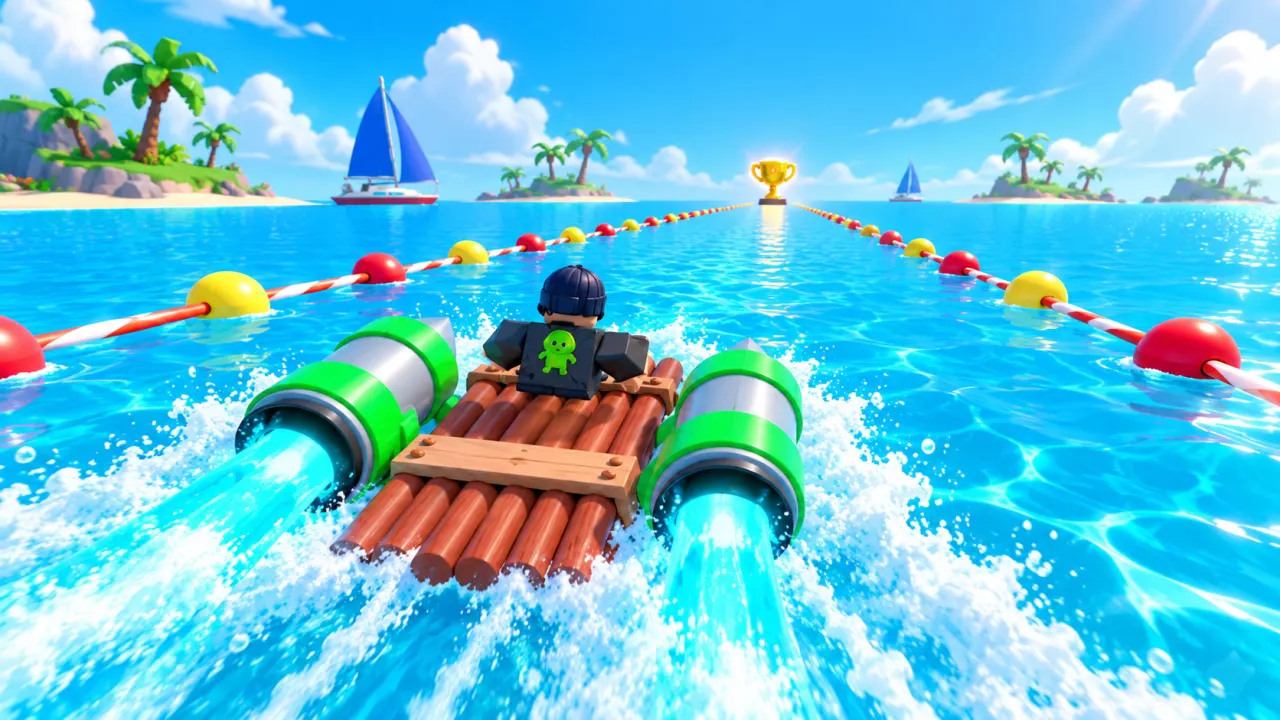
Enter Through START and Return with Leave
- Go to START in the lobby and enter the glowing area beneath it.
- Follow the water course and collect Wins at trophy checkpoints.
- When you want to return, tap Leave in the lower right.
You can leave after earning enough Wins for an upgrade without completing the entire course. During the introductory race, the “Enough Wins! Tap Leave to exit the race!” prompt tells you when to head back and continue the upgrade tutorial.
When the round ends, Race Ended appears and you return to the START area. Use the lobby break to prepare for another run.
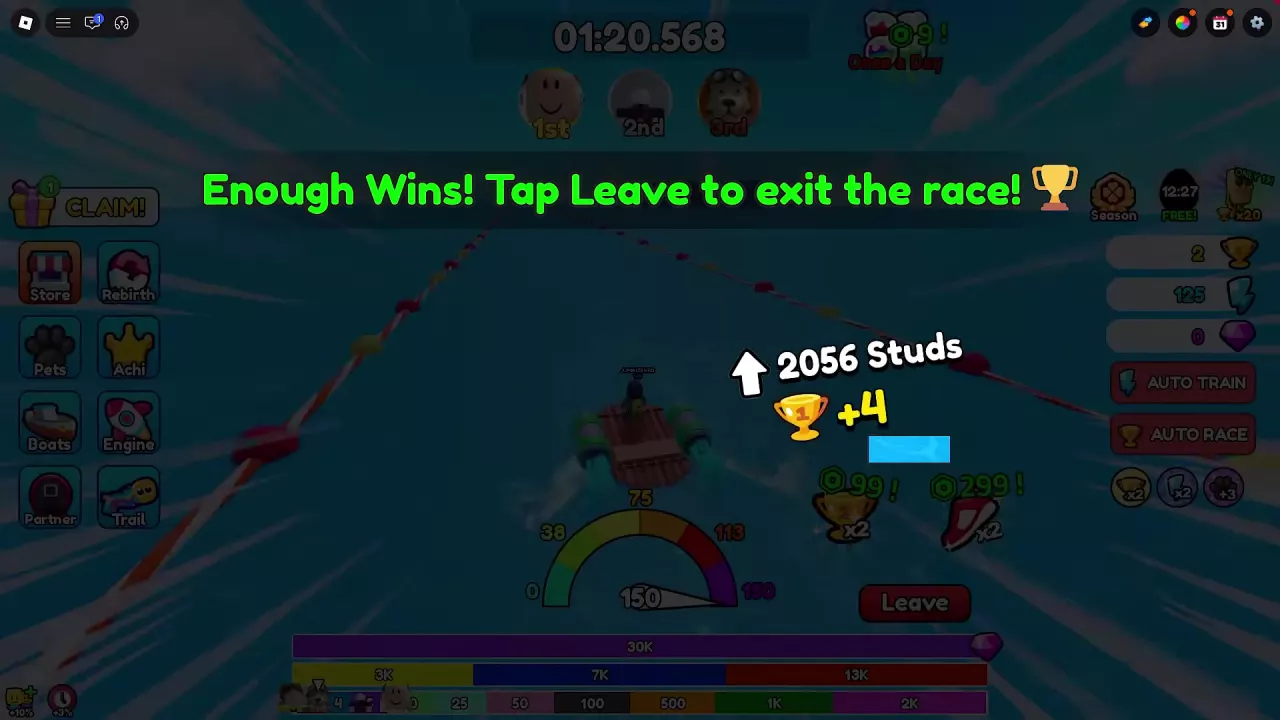
Follow the Course and Read the Race HUD
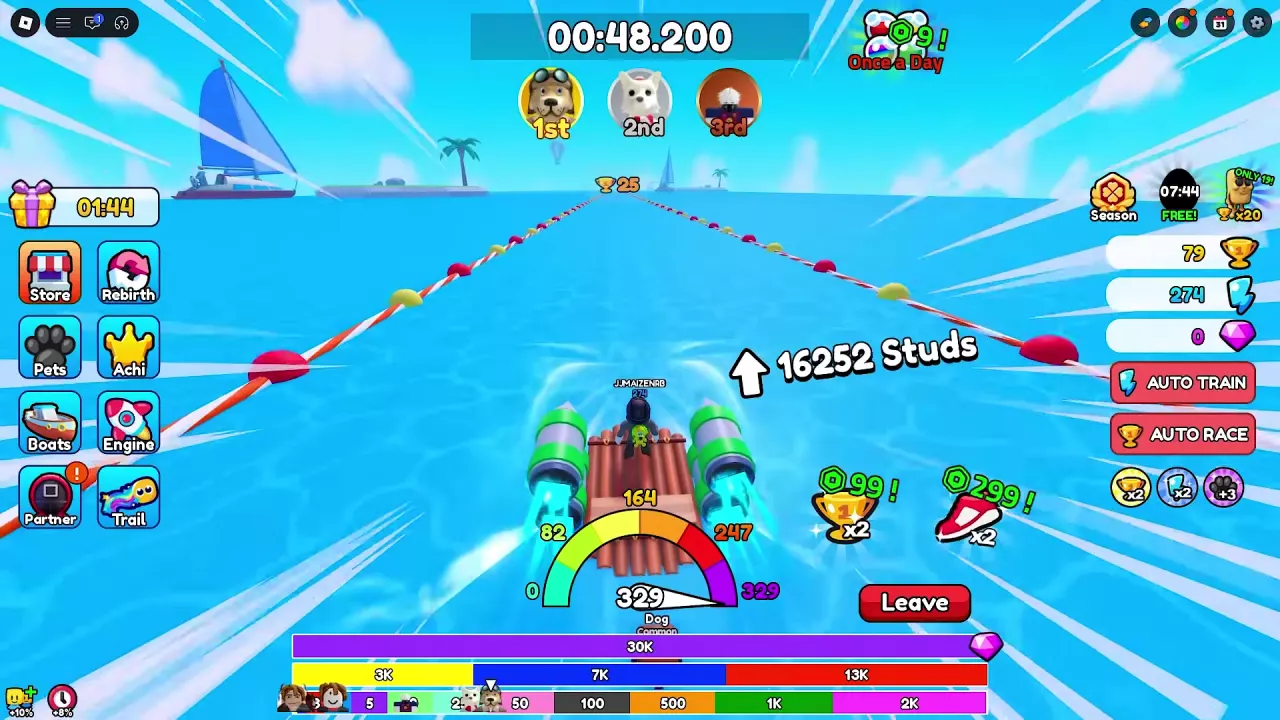
Stay between the buoy lines and head toward the next trophy marker. Your goal is to reach the finish before time runs out; while building up your equipment, use the next checkpoint as your immediate target.
| HUD element | Where to look | How to use it |
|---|---|---|
| Countdown | Top center | Check how much time remains in the round. |
| Distance in Studs | Beside the boat | Track how far you have traveled. |
| Segmented progress display | Along the bottom | Follow your position through the course segments. |
| Trophy marker | Ahead on the water | Identify the next reward target. |
| Speed gauge | Bottom center | Watch your speed build as you travel. |
Read distance, progress and remaining time together. The speed gauge does not label its unit, so dividing Studs by its reading will not give a reliable arrival time.
Opening an equipment menu does not pause the race. Prepare your gear in the lobby when you want time to compare options.
Trophy Rewards Arrive Along the Route
Wins are the spendable trophy currency, and you earn them as you pass reward markers during a run. You do not need to finish the whole course before receiving them.
A trophy popup shows one gain. For example, +4 means that reward added four Wins; it does not mean the entire race pays four Wins. Your total depends on the markers you reach and your active setup. Aim for the visible checkpoints rather than treating a distance displayed beside a popup as an exact trigger point.
You can also claim Online Gifts during a race, so an increase in your balance may include a gift as well as course rewards. Keep those gains separate when comparing runs. See how to claim online gifts for the reward steps, or use the Wins guide and purchase planner to estimate how many races you need for your next purchase.
Improve the Next Run
If time runs out before your next checkpoint, improve your setup in the lobby and try again.
- Build more Power. Return to the treadmills and continue training. More Power supports better racing performance; the training guide covers treadmill requirements and improving your gains.
- Improve your equipped gear. Compare boats, engines, partners and trails for useful racing bonuses. Acc appears on equipment panels as a percentage bonus, while Wins bonuses help with earnings. Use the early builds and buying priorities guide to choose an upgrade for your budget.
- Confirm the item is equipped. Look for the green checkmark or an Equipped or Unequip state. Buying or upgrading an engine does not automatically replace the engine you are using.
If an engine reports “Cannot equip more engines” and your slots are full, unequip the old engine before equipping its replacement. See the engine equipment guide for the full process.
Standard Jet is a useful later upgrade to consider for faster runs and overtaking, but it is not a guaranteed finishing setup. Judge your next attempt by how far you get before the countdown ends, then decide whether to keep training or invest in another improvement.
AUTO RACE and Race Positions
Find AUTO RACE on the right side of the main screen, beneath AUTO TRAIN.
The 1st, 2nd and 3rd portraits beneath the race timer show positions in the current race. The game's Top 50 leaderboard is a separate longer-term ranking feature; a top-three position in one round is not a Top 50 placement.